


procurement ai

v2.1 (sample quotes)
Settle simple claims straight through, and send adjusters a complete file for the rest
Extract and classify supplier quotes, RFQ replies, price lists, delivery notes and pro-forma invoices in real time. One platform for purchasing teams, contractors, distributors and ERP systems to rank low-risk suppliers automatically, flag mismatched units and route complex tenders to the right buyer.
Request a demo
Sample data only

Every supplier quote reviewed by hand costs the same, simple or not
Most RFQ responses are simple: a unit price, a lead time, a payment term. Yet each one waits in the same queue as the complex tenders, opened attachment by attachment. A missing line item, a quote already used on another purchase, a total that doesn’t match the RFQ: buyers spend their days on data entry while approvals stall and quote validity dates keep running out.

1
Quote received
The supplier sends a quote by portal, email or phone
2
Attach quote files
Friction
Missing line item or unreadable scan: a fresh copy is requested by email.
3
Manual review
Friction
Simple and complex tenders wait in the same queue, checked one by one.
4
Mismatch
Cross-checks
Friction
Unit price on the RFQ ≠ total on the quote. Back to step 02.
5
Purchase approved
If the supplier is already on the approved list
Every supplier response in a tender, reviewed in one pass
klarank detects each supplier file automatically and pulls out the fields you need, ready to be compared side by side.

Auto-sort tender files
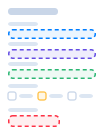
RFQ form
- RFQ title / type
- Tender reference
- Supplier contact name
- Response date
- Delivery address
- Contact email
- Contact phone
- Bid / account reference
- Key dates
- Tick-box answers
- Written answers
- Handwritten notes
- Signature present
- Date signed

Supplier quote
- Quote number
- Quote date
- Valid until
- Vendor name
- Vendor address
- Vendor VAT number
- Vendor company registration
- Vendor bank IBAN
- Buyer name
- Buyer address
- Buyer VAT number
- PO & RFQ references
- Quoted line items
- Subtotal excl. tax
- Tax lines (rate, base, amount)
- Total tax
- Grand total
- Currency
- Payment conditions
- Document kind (quote / credit note)

Delivery note
- Dispatching supplier
- Dispatch date
- Delivered total
- Tax lines (rate, amount)
- Category
- Sub-category
- Dispatch address
- Dispatch phone
- Supplier VAT / registration number
- Delivery note number
- Time
- Delivered line items
- Subtotal excl. tax
- Total tax
- Surcharge
- Currency
- Origin country
- Document language
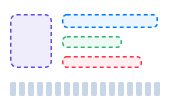
Trade licence card
- Family name
- First names
- Established on
- Certificate number
- Valid to
- Country of registration
- Legal form
- Head office location
- Issuing country
- Issue date
- Issuing body
- Registered address
- Registration number
- Machine-readable lines
- Company logo
- Authorised stamp
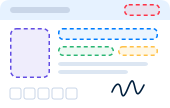
Trading licence
- Registered name
- Trading names
- Founded on
- Licence number
- Renewal date
- Licensed activities
- Office address
- Country of incorporation
- Entity type
- Issuing authority region
- Issue date
- Issuing authority
- Activity codes & validity dates
- Restrictions & conditions
- Capacity
- Coverage zone
- Logo
- Stamp

Supply agreement
- Agreement type
- Counterparties
- Start date
- End date / term
- Value
- Agreement number
- Counterparties' addresses
- Date signed
- Renewal conditions
- Notice window
- Payment conditions
- Currency
- Governing law
- Authorised signatories
- Signature present
- Bond number
- Scope covered
- Excess
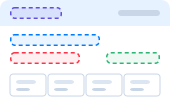
Supplier registration card
- Contact person
- Vendor ID
- Group code
- Scheme name
- Underwriting firm
- Scheme type
- Payee ID
- Routing code A
- Routing code B
- Routing group
- Advances (deposit, interim, final)
- Start date
- Linked entities
- Procurement helpline
- Supplier phone
From supplier reply to an approved purchase order, in five steps
The flow behind straight-through sourcing: sort every supplier attachment, pull out unit prices, lead times, incoterms and payment terms, check them against the RFQ and the approved price list, then move clean, low-value quotes forward automatically and send the rest to a buyer with the conflicting fields highlighted.

Collect
New quote by email, portal or upload

klarank Classify
RFQ reply, supplier quote, price list, delivery note

klarank Extract
Supplier, unit price, MOQ, lead days…
CHECK
{Your purchasing rules to apply}
Cross-check

Matching data goes ahead
Low-value quote approved automatically

Exceptions to the buyer
Flag for buyer review
Trial a tender in minutes, go live with the API
Test the full RFQ flow with a no-code scenario first. When the results convince your purchasing team, plug the same models into your procurement system.
Step 1 : Pilot
Run a pilot in your workflow tool
No code, no IT ticket. Upload supplier quotes and see them ranked.

RFQ response
Pro-forma invoices, price lists, delivery notes, terms

klarank Classify & Rank
Supplier name, quote date, unit price, incoterm

Purchasing system
One record per quote. Ready to approve.

Team chat
Alert on missing quotes or price mismatches
Step 2 : Rollout
Connect the API to your ERP/purchasing workflow
Same ranking engine, linked to your full procurement stack in a short setup window.
klarank docs
$ pip install klarank-sdk

Your supplier inputs

klarank API
Your ERP
What each team gains
Purchasing, finance and operations don't need the same things from a sourcing project. Here is what each group takes away.

3 groups · 1 workspace

Sourcing
· Heads of IT, Systems leads
A clear, well-documented interface, running in days, with no extra system clutter

Reliable connections and tools that grow with your supplier base.
Little effort : current guides and integration kits
No surprises at month-end : constant monitoring and pricing-drift alerts

finance & procurement
· MDs, CFOs, Operations directors
Less overspend and fewer leaks from duplicate or mismatched supplier quotes
Reduced spend, tighter controls, healthier margins
Smoother rollout thanks to ready-made quote templates
Commercial data kept private : secure hosting with role-based access
buying
· Category managers, Buyers
Let suppliers send every quote in one go, and approve straightforward orders in minutes
- Missing quote details flagged before the RFQ is closed
- Several supplier files in one upload, split and sorted automatically
- Unclear quotes routed to a buyer or approver, never a dead end
Outcomes reported by purchasing teams, on average
Procurement teams that run supplier quotes through klarank spend less time reconciling line items and move approvals along faster. Here is what changes once quote checks run automatically: less manual comparison, more RFQs handled by the same buyers, and a clear route from first trial to live use.
Fewer
less time spent comparing supplier quotes
TIME PER QUOTE - Before/After klarank
Hundreds
supplier quotes reviewed every month
Quote volume - last 6 months
Days
from first ERP connection to live purchasing

Trial - connect - go live
Connect klarank to your purchasing workflow in minutes with SDKs and no-code tools
Go live in minutes with our ready-made connector for popular workflow tools, no coding needed, or connect directly through our well-documented REST API built for procurement systems. SDKs available for Python, .NET, Node.JS, Java, Ruby, PHP.
Connectors
Enterprise-grade protection
Our platform runs on hardened cloud infrastructure with strict access controls, so every supplier quote, RFQ response and price list you upload stays protected at all times.

Hosting in the UAE or the US available

Access controls and audit trails
Security overview
Questions about this workflow
Can't find your answer? Our procurement specialists reply within one business day.
About klarank
What does tender management involve?
Tender management is the process a purchasing team follows to run a supplier tender, from issuing the RFQ to awarding the contract. It covers publishing the requirements, collecting supplier quotes, checking compliance and eligibility, comparing prices and terms, scoring bids against the criteria, getting internal approvals, and issuing the purchase order to the winning supplier. Quote comparison is often the slowest step, because bids arrive with different units, currencies and formats. klarank reads these responses automatically and extracts the line items, so buyers spend their time on the award decision rather than re-keying data.
Which documents are needed for a supplier tender?
It depends on the category, but most tenders ask for a completed RFQ response, the supplier's price list or pro-forma invoice, the technical specification sheet, proof of registration, and delivery terms. This can include unit prices for each line item, minimum order quantities, lead times, incoterms, and a copy of the supplier's standard terms. Suppliers often send everything at once, by email or through a portal, as PDFs, scans or spreadsheets. klarank recognises each document type, even when several are bundled into one file, extracts the key data (quantities, prices, currencies, delivery dates), and builds a structured comparison sheet that is ready for approval.
How long does a tender take, and how can purchasing teams speed it up?
Simple orders can be awarded in a few days, while large or technical tenders can take weeks, depending on the number of bidders, the need for technical evaluation and how complete the responses are. Many organisations also set internal deadlines for issuing RFQs, reviewing bids and securing approvals. A large share of the delay comes from chasing missing information and re-typing supplier data. With klarank, responses are processed as soon as they arrive, incomplete quotes are flagged immediately so the supplier can be asked for the missing items, and low-value, repeat purchases can be routed for automatic approval.
How can quote comparison help spot procurement risk?
klarank is not a forensic audit tool, but structured supplier data makes many checks easy to automate. You can detect the same quote being submitted under two supplier names, flag validity dates that expire before the award date, check that a supplier's company details match its registration documents, and spot totals that don't add up, such as a quote total that differs from its line items. Bids that pass these checks move straight to comparison, and suspicious ones go to the procurement lead with the inconsistent fields highlighted. This keeps your process sound without slowing down reliable suppliers.



Ready to clear your RFQ backlog without the paperwork?
Extract and compare supplier quotes, RFQ replies, pro-forma invoices and price lists in real time. Try it on a batch of your own tender files in minutes.
Data privacy by design
Sample data only