


procurement ai

Built for buyers (built for purchasing teams)
Validate every proof of purchase, for loyalty, cashback and rebates
Pull supplier, unit price, lead days and payment terms from quotes, RFQ replies and price lists in real time. One klarank workspace to normalise incoterms, rank bids and send purchase orders for approval, while flagging duplicate and mismatched submissions.
Request a demo
Sample data only

Every manual check slows down your sourcing cycle
Dozens of suppliers, each with its own quote format. Abbreviated item codes, scanned PDFs, the same quote sent twice: either your buyers check every line by hand and approvals stall, or mispriced lines slip into the purchase order.

1
Request
A buyer issues an RFQ to a shortlist of suppliers
2
Upload quotes
Bottleneck
Scanned copy or unclear spreadsheet: the quote is flagged and sent back to the supplier.
3
Manual comparison
Bottleneck
Quotes pile up at month-end, compared line by line.
4
Duplicate
Price checks
Bottleneck
Quote already on file, or item missing from the RFQ. Back to step 02.
5
Order approved
Days later, once the approver has signed off
Every supplier quote, processed in a single pass
klarank identifies each quote or RFQ reply automatically and pulls out the fields procurement needs, ready to be compared side by side.

Auto-sort supplier documents

Delivery note
- Supplier name
- Issue date
- Quoted total
- Duties and VAT (rate, amount)
- Category
- Subcategory
- Supplier address
- Supplier phone
- Supplier tax / trade licence number
- Delivery note number
- Delivery time
- Line items
- Subtotal excl. tax
- Total tax
- Freight charge
- Currency
- Country of origin
- Document language

Pro-forma invoice
- Pro-forma number
- Issue date
- Validity date
- Supplier company name
- Supplier head office address
- Supplier VAT number
- Supplier trade registration
- Supplier bank IBAN
- Buyer name
- Buyer delivery address
- Buyer VAT number
- PO & RFQ reference numbers
- Line items
- Subtotal excl. tax
- Duties and taxes (rate, base, amount)
- Total tax
- Total quoted amount
- Currency
- Payment terms and credit period
- Document type (quote / revised quote)

Product code
- Decoded code value
- Code format (EAN-13, ...)
- Code type (1D / 2D)
- Number of codes found
- Location on the page
Supplier bank details
- Account holder name
- IBAN
- BIC / SWIFT
- Bank name
- Bank routing code
- Branch code
- Account number
- Branch (registered office)
- Account holder address
- Bank branch address
From supplier quote to an approved sourcing decision, in five steps
The flow behind automated supplier intake: sort each incoming quote, pull out the supplier and line items, match items to the RFQ, check validity dates and duplicates, then pass clean quotes forward and send doubtful ones to a buyer for review.

Collect
Supplier quote PDF, RFQ reply email or price list upload

klarank Classify
Quote, RFQ response, pro-forma invoice, price list

klarank Extract
Supplier, lead days, line items, unit price…
VERIFY
{Your purchasing rules to check}
Cross-check

Valid data moves on automatically
Shortlist or purchase order drafted

Exceptions to a buyer
Flag for buyer review
Trial a quote run in minutes, then go live via the API
Run a complete RFQ cycle with a no-code setup first. Once your purchasing team trusts the rankings, connect the same engine to your procurement system.
Step 1 : Pilot
Run a pilot scenario in your workflow tool
No code, no IT request. Forward supplier files and watch klarank pull out the line items.

Procurement desk
Supplier quotes, RFQ replies, price lists

klarank Classify & Extract
Supplier name, quote date, line items, total value

ERP or sourcing suite (any system...)
Supplier approved. Buyer notified.

Team chat
Flag duplicate or non-compliant quotes
Step 2 : Rollout
Connect the API to your purchasing workflow
Same engine, same rankings, wired into your full procurement chain within days.
klarank docs
$ pip install klarank

Your supplier inbox

klarank API
Your ERP
What each procurement team gets
Purchasing, finance and operations look for different things when they evaluate supplier quotes. Here is what each group takes away.

3 teams · 1 workspace

Technical
· Integration leads, IT managers
A quick, well-documented connection to your ERP, live within days, with no extra integration debt

Reliable infrastructure and workflows that grow with your supplier base.
Little effort: current guides and ready-made connectors
No surprises at go-live: continuous monitoring and alerts when supplier formats change

finance & ops
· CFOs, procurement heads, COOs
Lower the cost of each approved purchase order and keep every project budget clear of overspend
Lower spend, tighter controls, better margins on every order
Smooth rollout with ready-to-use approval templates
Supplier data secured: strict access controls and clear audit trails
purchasing
· Buyers, category managers
Turn any supplier quote into line-by-line purchasing data, as it arrives
- Clear comparisons that help you negotiate better terms
- Line items from any supplier, matched to your approved catalogue
- Unclear quotes flagged for review, never left in limbo
Results reported by buyers, on average
Purchasing teams that run supplier tenders on klarank spend less time comparing quotes and approve awards faster. Here’s what changes once quote checks run on autopilot: less manual review, more RFQs handled by the same team, and a fast route from first upload to live use.
Fewer
less time spent on quote comparison
TIME PER QUOTE - Before/After klarank
Hundreds
supplier quotes processed every month
Volume - previous 6 months
Days
from first quote upload to live use

Upload - compare - approve
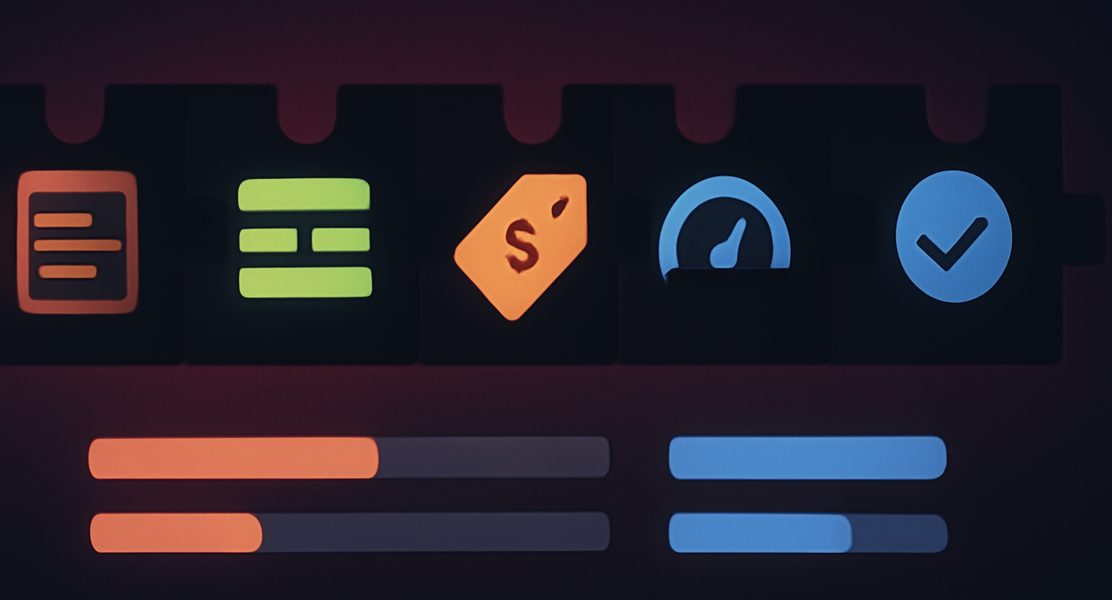
Connect klarank to your purchasing workflow in minutes with connectors & no-code tools
Start ranking supplier quotes within minutes using our tested no-code automation connector, or link straight into your ERP through our documented REST API built for procurement teams. Client libraries available for Python, .NET, Node.JS, Java, Ruby, PHP.
Connections
Enterprise-ready data protection
Your supplier quotes, RFQ replies and pricing files are stored on secure infrastructure, with access limited to your own team at all times.

UAE or regional hosting on request

Role-based access, data retention controls
Data protection hub
Frequently asked questions for this scenario
Still have a question? Our procurement specialists reply within one working day.
About klarank
How does supplier onboarding through quote intake work?
Suppliers send their quote, RFQ reply or price list by email, upload or scan, whether they are in the office or working remotely. klarank pulls out each line item with its description, quantity, unit price, currency and lead time, plus the supplier name and the validity date. Your team then sees every new supplier scored against the same criteria in one place, so the best offer can move forward to approval without anyone re-keying figures.
How do you set up a supplier intake workflow?
Begin by defining the criteria that matter for your category: the required units, accepted incoterms, minimum order quantity and payment terms. Then connect a submission step, such as a shared inbox or supplier portal, so each reply is routed into klarank. The platform reads the quote and turns it into a structured record that your purchasing system can use. Because klarank handles quote formats from different suppliers without fixed templates, you don’t need to maintain a parser, and you can open intake to all approved suppliers in one go.
What makes a supplier quote complete enough to compare?
A usable quote lists the item, the quantity, the unit price and currency, the incoterm, the lead time and the payment terms, and it states how long the price stays valid. Many quotes leave one of these out or bury it in a footer. klarank checks each element and flags what is missing, so your team can ask the supplier for the gap instead of reviewing every document by hand.
How do you keep supplier quotes reliable during onboarding?
The most common issues are duplicate submissions from the same supplier, quotes with expired validity dates, mismatched units or currencies, and prices that differ between the email and the attached file. Because klarank records the supplier, date, validity period and totals for every quote, it can flag duplicates, reject expired offers and highlight conflicting figures. Quotes with uncertain readings or inconsistent totals go to a reviewer, which keeps the approval path tight without slowing down suppliers who submit clean paperwork.



Ready to speed up supplier approvals without the manual back-and-forth?
Pull line items from quotes, RFQ replies and price lists in real time. Try it on a batch of your own supplier responses in minutes.
Security & data privacy
Sample data only