


procurement ai

Built for buyers (see sample sheets)
Invoice capture built for platforms and high-volume AP teams
Extract and match supplier quotes, RFQ replies, purchase orders and delivery notes from any supplier, in any format. One connection to power your ERP and purchasing workflow, and to clear quote volumes for procurement teams and shared service centres.
Request a demo
Sample data only
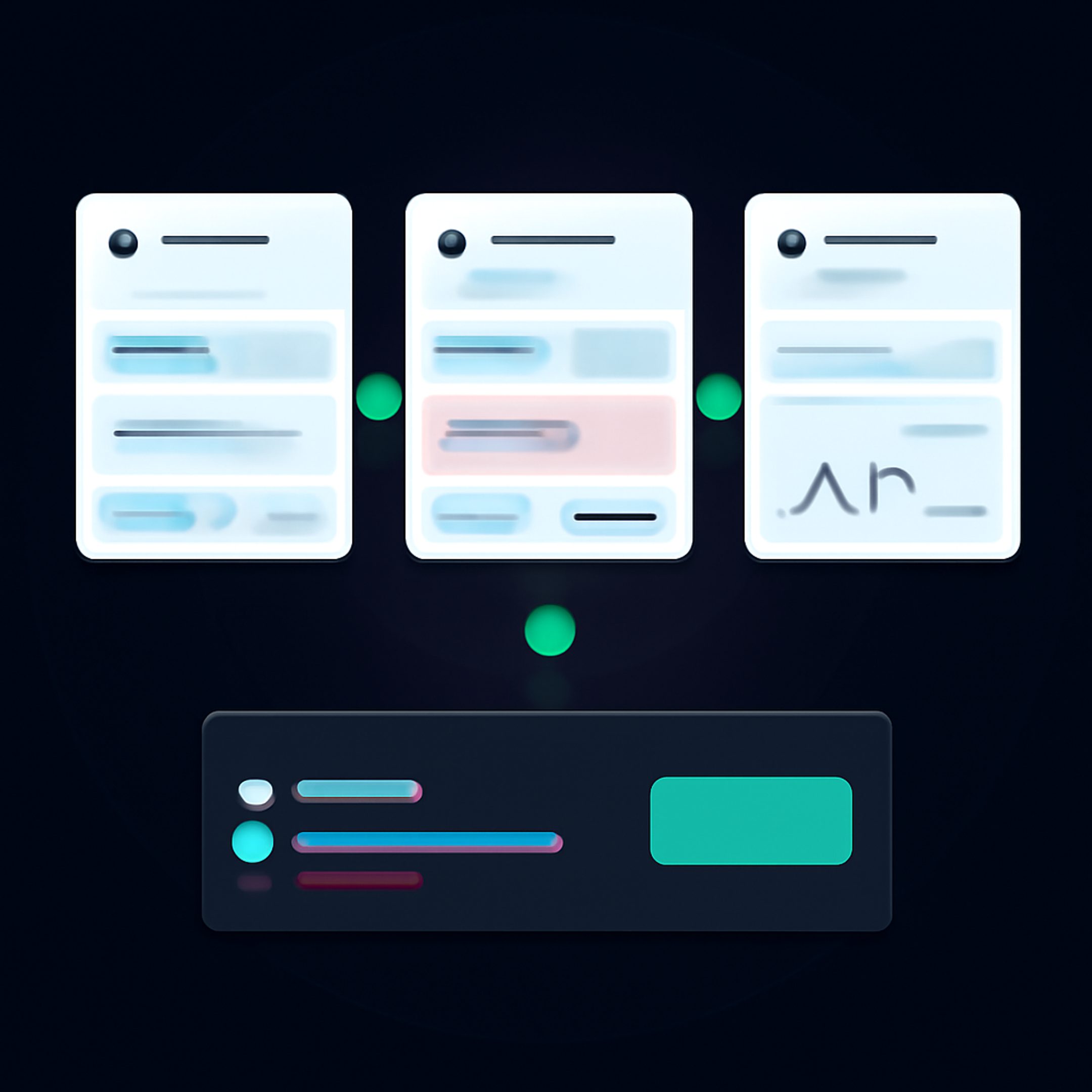
Each new supplier quote layout means another round of manual keying
Hundreds of suppliers, each sending their own PDF. Scans, multi-page price tables, credit notes that resemble invoices, quantities that fail to match the goods receipt: every exception ends up on someone's desk, whether on the buyer's side or the supplier's.

1
Quote received
A supplier sends a PDF, a scan or an emailed price list
2
Upload quotes
Friction
No template exists for this supplier, so the header, tax and line items get typed in by hand.
3
Line-by-line check
Friction
Exceptions stack up in an approval queue and are checked one line at a time.
4
Discrepancy
Reconciliation
Friction
Quantity on the RFQ reply does not match the goods receipt. Sent back to the supplier.
5
Payment released
Frequently delayed, missing early-settlement discounts
Every supplier document, reviewed in one pass
klarank spots each document type on arrival and pulls out the fields your buyers need, ready to be compared side by side.

Auto-sort documents

Supplier bill
- Bill number
- Bill issue date
- Payment due by
- Vendor name
- Vendor street address
- Vendor tax ID
- Vendor trade licence no.
- Vendor bank account
- Bill-to name
- Bill-to address
- Bill-to tax ID
- PO and reference codes
- Line entries
- Net subtotal
- Tax lines (rate, base, value)
- Tax subtotal
- Grand total
- Billing currency
- Credit terms
- Record type (bill / credit memo)
Procurement order
- Order number
- Order issue date
- Purchaser name
- Vendor name
- Line entries (item code, details, qty, unit cost, value)
- Order value
- Purchaser address
- Vendor street address
- Ship-to address
- Expected arrival date
- Credit terms
- Net subtotal
- Tax subtotal
- Billing currency
- Requisitioner / contact
- Delivery terms (Incoterms)
Dispatch note
- Dispatch note number
- Dispatch date
- Vendor name
- Client name
- Order number
- Line entries (item code, details, qty ordered, qty received)
- Vendor street address
- Drop-off address
- Date ordered
- Courier
- Waybill number
- Parcel count
- Gross weight
- Recipient name
- Sign-off
Credit memo
- Credit memo number
- Credit memo date
- Source invoice number
- Vendor name
- Client name
- Grand total
- Why the credit was issued
- Vendor street address
- Vendor tax ID
- Bill-to address
- Bill-to tax ID
- Line entries
- Net subtotal
- Tax lines
- Tax subtotal
- Billing currency
- Refund route
From supplier quote to a verified purchase order flow, in five steps
The logic behind automated purchasing: sort each incoming file, pull out header and line data, match quote, PO and goods receipt, then approve clean orders and send anything unusual to a buyer.

Gather
Supplier email, portal upload or batch of scans

klarank Sort
Quote, RFQ reply, purchase order, delivery note

klarank Extract
Supplier, tax ID, lines, totals, lead days…
CHECK
{Your purchasing rules to apply}
Compare

Clean data moves on automatically
Order approved, ready to issue and pay

Exceptions to a buyer
Flag for buyer review
Set up a quote check in minutes, then go live with the platform
Trial the full RFQ flow with a no-code setup first. Once your buyers trust the results, connect the same models to your purchasing system.
Step 1 : Pilot
Run a proof of concept with no-code tools
No coding, no IT request. Upload supplier files and see klarank read them.

Procurement inbox
Supplier quotes, RFQ replies, purchase orders

klarank Quote Extract & Rank
Supplier, quote ref, unit price, incoterm, lead days, MOQ

ERP (your purchasing system)
One row per quote line. Ready for approval.

Team chat
Alert on duplicate quotes or mismatched line items
Step 2 : Live
Connect the API to your purchasing platform or workflow
Same models, same ranking, wired into your full procurement stack within a few days.
klarank docs
$ pip install klarank

Your supplier files

klarank platform
Your purchasing system
What each team gains
Purchasing, finance and operations don't need the same things from supplier quotes. Here is what each group gets.

3 teams · 1 sourcing hub
Systems
· IT leads, Integration engineers
A clear, well-documented interface, running in days without extra integration debt

Dependable foundations and capabilities that grow with your volume.
Little upkeep : current guides and ERP connectors
No live-system surprises : ongoing monitoring and protection against price drift

finance & procurement
· Managing directors, CFOs, COOs
Handle more quotes per buyer, with a cost per quote you can build into your pricing
Reduced spend, tighter controls, healthier margins
Smoother rollout thanks to ready-made, no-code sheet layouts
Data kept private : access controls on every supplier file
category leads
· Category managers, Sourcing leads
Launch quote intake your buyers can switch on in minutes, for any supplier
- No supplier layouts to map or keep up to date
- Line items pulled out for quote-to-order comparison
- Confidence scores to pass clean quotes straight through and flag the rest for review
What purchasing teams notice in practice
Procurement and sourcing teams use klarank to rank supplier quotes in one place. Here is what changed for a UAE trading firm: fewer manual comparisons, more RFQs handled by the same team, and a quick route from first upload to approved purchase orders.
Fewer
manual checks on supplier quotes
TIME PER RFQ - Before/After klarank
Hundreds
of supplier quotes handled every month
Quotes received - last 6 months
Days
from first upload to a ranked shortlist

Upload - compare - approve
Connect klarank to your purchasing workflow in minutes with SDKs and no-code tools
Go live in minutes through our verified no-code automation app with zero coding, or connect to your ERP via our well-documented REST API built for developers. SDKs available for Python, .NET, Node.JS, Java, Ruby, PHP.
Connectors
Business-grade data protection
Our platform runs on hardened cloud infrastructure and follows strict data protection practices, so your supplier files and pricing stay protected at all times.

Regional hosting options available

Privacy-first data handling
Trust and privacy hub
Common questions about purchase order workflows
Don't see your answer? Our procurement specialists reply within one business day.
Learn about klarank
What does purchase order automation involve?
Purchase order automation means using software to handle buying from start to finish, from the moment a requisition is raised to the moment a supplier is paid. A typical automated flow collects quotes and order confirmations from email, uploads or scans, pulls out the key figures, checks them against approved POs and delivery records, sends them for sign-off, and posts the result to your ERP. Reading the documents is the first step and usually the slowest one. klarank converts every supplier quote into structured line items in seconds, whatever its layout or language, so the rest of your buying workflow can run on its own.
What is three-way matching in procurement?
Three-way matching is a control that compares three records before a supplier invoice is released for payment: the purchase order (what was requested), the goods received note or delivery note (what arrived) and the supplier invoice (what is being charged). Items, quantities and unit prices must line up across all three, within your agreed tolerances. Checking this by hand is slow and easy to get wrong, particularly on orders with many lines. klarank pulls line items from all three documents, so the match can run automatically and your buyers only review the lines that disagree.
How is AI applied in purchasing?
In purchasing, AI is mainly used to read supplier documents: it captures vendor details, totals, taxes and line items without fixed templates, even from scans or unusual layouts. The captured data then supports further checks, such as spotting duplicate supplier quotes before they are approved, flagging unusual prices or sudden rate changes, and noticing when a supplier's bank details have changed, a common sign of payment fraud. klarank provides this extraction layer with a confidence score for every field, so you decide which items are approved automatically and which go to a buyer for review.
Does klarank replace our procurement system or ERP?
No. klarank is the document intake and ranking layer that sits alongside your current tools. Procurement teams connect it to their ERP or accounting software through an API or with standard workflow tools, so supplier data flows into the systems you already use. You keep your approval chains and payment runs, and simply remove the manual keying at the start of the process.



Ready to process supplier quotes without manual re-keying?
Pull line items from supplier quotes, purchase orders, delivery notes and pro-forma invoices. Try it on a set of your own RFQ replies in minutes.
Role-Based Access & Audit Log
Sample data only