


quote intelligence

Built for buyers (for UAE trading teams)
Turn every borrower file into decision-ready data
Pull line items from supplier quotes, RFQ replies, price lists and delivery notes in one pass. One connection for purchasing teams, ERPs and approval workflows to complete quote packs at upload, check pricing across documents and send clean data into ranking and purchase orders.
Sample data only
Sample data only

Every incomplete supplier file slows your award
Three price lists, three months of delivery records, two signed agreements, a tax certificate: one missing page or one unit price that doesn’t reconcile, and the file goes back to the supplier. Meanwhile, buyers re-key unit prices and terms by hand, and a quicker purchasing team places the order first.

1
RFQ issued
The buyer sends the request to a shortlist of suppliers
2
Collect quotes
Delay
Missing price list or outdated terms: a fresh quote is requested by email.
3
Hand check
Delay
Quotes sit in the approval queue while line items are re-typed by hand.
4
Discrepancy
Reconciliation
Delay
Unit price on the quote ≠ rate in the purchase order. Back to step 02.
5
Award confirmed
If the supplier hasn’t accepted elsewhere
Every quote in an RFQ pack, reviewed in one flow
klarank recognises each supplier document automatically and pulls out the fields you need, ready to be cross-checked against each other.

Auto-sort supplier documents
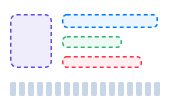
Supplier quote
- Supplier name
- Supplier contacts
- Quote date
- Quote reference
- Valid until
- Quote currency
- Incoterm
- Delivery location
- Origin country
- Issued on
- Issuing department
- Billing address
- Tax registration number
- Line item codes
- Product image
- Approver signature
Purchase order
- Buyer name
- Buyer contacts
- Order date
- PO number
- Delivery deadline
- Payment currency
- Approval status
- Ship-to location
- Supplier country
- Date raised
- Order type
- Item code, line 1
- Item code, line 2
- Product image
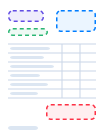
Delivery note
- Receiver name
- Carrier name
- Delivery window opens
- Delivery window closes
- Total goods value
- Net quantity
- Dispatch lead
- Shipment type
- Carrier address
- Carrier registration number
- Receiving address
- Receiving ID
- Trade licence number
- Shipment start date
- Dispatch date
- Value before tax
- Import duty withheld
- Year-to-date spend
- Units received
- Pricing breakdown (base, surcharges, discounts)

Price list
- Supplier account name
- Bank account (IBAN)
- Supplier bank
- Price validity start
- Price validity end
- Opening price index
- Closing price index
- Line items (code, description, unit price)
- Supplier billing address
- Supplier bank branch address
- Account reference
- Bank routing code
- Price list date
- Total discounts
- Total surcharges
- Price currency
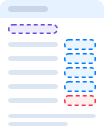
Supplier performance report
- Reporting team names
- Reporting year
- Reference spend figure
- Total duty due
- Supplier tax ID
- Assessment reference
- Registered office
- Approval level / cost centre
- Number of cost shares
- Gross spend
- Chargeable spend
- Payments and deductions
- Credit or balance due
- Report date

Framework agreement
- Contracting party names
- Supplier name (agreement)
- Agreement value
- Price adjustment rate
- Agreement term
- Call-off amount
- Delivery location (agreement)
- Secondary signatory
- Pricing type (fixed / indexed)
- Annual value
- Effective date
- First call-off date
- Expiry date
- Logistics cost
- Admin charges
- Total cost of supply
- Agreement reference
- Sign-off date

Supplier verification
- Account holder
- Full registered address
- Date of issue
- Document type (trade licence, tax certificate, …)
- Issuing body
- Address line
- Postcode
- Town
- Nation
- Timeframe under review
- Reference or account no.
From supplier quote to ranked shortlist, in five steps
The flow behind framework agreement awards: sort each incoming quote, pull out prices, terms and supplier details, confirm the RFQ response is complete and consistent, then send an approval-ready comparison to your purchasing system and route mismatches to a buyer.

Gather
Supplier RFQ reply or quote pack with attachments

klarank Sort
Price list, delivery terms, payment terms, MOQ sheet

klarank Extract
Supplier name, unit price, lead days, incoterm…
CHECK
{Your purchasing policy to apply}
Compare

Complete quotes move on automatically
Approval-ready comparison sent to purchasing

Exceptions go to a buyer
Flag for buyer review
Build a prototype in minutes, then roll out the klarank platform
Trial the complete quote-to-approval flow with a no-code workflow first. Once your purchasing team trusts the results, connect the same models to your procurement system.
Step 1 : Pilot
Launch a pilot run in a no-code automation tool
Nothing to code and no IT request needed. Forward supplier files and watch klarank pull out the line items.

Supplier price list
Quote PDF, RFQ reply email, price sheet, pro-forma invoice

klarank Classify & Extract
Supplier name, unit price, incoterm, lead days, payment terms

ERP
One row per supplier. Ready for approval.

Team chat
Flag missing quote lines or price mismatches
Step 2 : Rollout
Connect the API to your purchasing workflow
Identical models and outputs, linked across your entire procurement stack within a few days.
klarank docs
$ pip install klarank

Your supplier inputs

klarank API
Your ERP system
How each purchasing role benefits
Purchasing, finance and operations don't look for the same thing in supplier quote work. Here is what each of them gets.

3 roles · 1 workspace

Integration
· IT leads, ERP admins
A clear, well-documented connection, running in days, with no legacy clutter

Dependable setup and capabilities that grow with your volume.
Little upkeep : current guides and integration kits
No live-system surprises : ongoing monitoring and format-change alerts

finance & purchasing
· MDs, CFOs, Operations heads
Review more supplier quotes per buyer, spending time on sourcing decisions rather than retyping figures
Reduced spend, tighter controls, healthier margins
Smoother rollout thanks to ready-made sheet templates
Data kept private : role-based access and an activity log
product & category
· Owners, Category managers
Complete RFQ packs at upload, so suppliers never chase for missing details
- Gaps or expired quotes flagged before a supplier is contacted
- Unit prices and terms organised to match your ranking weights
- Unclear quotes sent to a buyer for review, never left unresolved
Outcomes reported by procurement teams, on average
Purchasing teams that compare supplier quotes through klarank spend less time checking each offer and move approvals along faster. Here is what changes once quote checks run automatically: less manual comparison, more RFQs handled by the same team, and a quick route from first trial to live use.
Fewer
less time spent on quote checks
TIME PER QUOTE - Before/After klarank
Hundreds
supplier quotes reviewed every month
Throughput - past 6 months
2 weeks
from first connection to live use

Trial - connect - go live
Connect klarank to your purchasing workflow in minutes with SDKs and no-code tools
Go live in minutes with a verified no-code connector for workflow tools, requiring no coding, or connect through our documented REST API built for developers. SDKs are available for Python, .NET, Node.JS, Java, Ruby, PHP.
Connectors

Enterprise-ready data protection
Our platform runs on hardened cloud infrastructure, and supplier documents are handled under strict privacy practices so your quote files stay protected at all times.

Regional or US hosting available

Privacy-first data handling
Security hub
Questions about framework agreements
Still need an answer? Our procurement specialists reply within one business day.
About klarank
How is a supplier's total landed cost calculated?
The landed cost is the full price a buyer pays for goods once they arrive, combining the unit price, freight, duties and insurance, then dividing by the quantity received. For example, a unit price of 12 AED plus 0.80 AED of freight and duties per unit gives a landed cost of 12.80 AED. Many purchasing teams set a target ceiling and compare quotes against it, though the right threshold depends on the category and contract. To calculate it, buyers need reliable figures from several documents: unit prices from supplier quotes, incoterms and freight charges from pro-forma invoices, and payment terms from price lists. klarank extracts these figures automatically, so buyers can compare landed costs without retyping any data.
Which documents confirm a supplier's pricing and delivery terms?
Usually a formal supplier quote, a current price list and a signed pro-forma invoice set out the commercial terms. Many suppliers also confirm lead times, moq and payment terms in an email or spreadsheet. Purchasing teams often request several documents, since each one cross-checks the others. klarank extracts the key figures from quotes and price lists, such as unit price, currency, incoterm, lead days and moq, so you can compare offers across suppliers in seconds instead of reading every page.
How long does quote evaluation take, and how can it be faster?
Evaluating supplier offers can take anywhere from a few days to several weeks, depending on the category and how complete each response is. Much of that time goes to chasing replies, retyping line items and clarifying missing or inconsistent details with suppliers. With klarank, each quote is classified and its line items extracted as soon as it arrives, and incomplete responses are flagged immediately. Buyers start from a ready-to-approve comparison and spend their time on sourcing decisions rather than data entry.
Can klarank cross-check information across a supplier's documents?
Yes. Once every document becomes structured data, consistency checks run across the whole bid automatically. For example, you can confirm that the unit prices in the quote match the price list, that the supplier name and address are the same on the quote, the pro-forma invoice and the vendor registration, and that the payment terms agreed in the RFQ reply appear on the purchase order. Consistent bids go straight to approval, and those with discrepancies are flagged with the fields that do not match. This saves time and helps catch altered or inconsistent supplier documents before a purchase order is raised.



Ready to approve purchase orders without the paperwork pile ?
Pull and compare line items from supplier quotes, RFQ replies and price lists as they arrive. Try it on a batch of your own supplier files in minutes.
Role-based approvals & audit trail
Sample data only to get started