


Contents
As purchasing teams receive more supplier paperwork, retyping quote lines by hand stops being workable. Optical Character Recognition (OCR) tools offer a practical answer, automating text and line-item capture from supplier documents, including quotes, purchase orders, and more.
These tools draw on modern vision and cloud technology to speed up document handling. With them, buyers can work through large batches of scans and turn them into structured text, which keeps procurement moving and data easier to manage.
Still, picking the right OCR tool takes more than settling for whatever "works." The goal is a fit for your workflow, whether that means accuracy, scale, or how well it connects to your systems.
This guide makes the decision easier by walking through the factors that matter most, such as accuracy, features, pricing, and the top contenders.
Whether you run a small trading business or a larger distributor, you will find what you need to pick the right OCR tool for your goals in 2026!
Step 1: What OCR Accuracy Really Means
OCR precision is the foundation of dependable document automation, making sure text pulled from scanned copies, PDFs, or other digital files is as exact as it can be.
Improvements in image processing and vision models mean current OCR tools can manage complicated extraction jobs with strong precision. Cloud-based options also make it easier to pull data from sharp, high-resolution scans and run those workflows across large volumes.
It shapes how good your workflows are, cutting down later errors and lowering the amount of manual fixing needed during data capture and image-based text reading.
Accuracy is judged with several measures that show how well an OCR system pulls out data. The main ones are:
- Exact Match Rate (EMR): Checks accuracy field by field, which matters most for structured documents such as quotes and purchase orders.
- Word Error Rate (WER): Measures accuracy at the word level, well suited to free text in documents such as letters or contract notes.
- Character Error Rate (CER): Assesses precision at the character level, vital where exact strings matter, such as part codes or price figures.
Past these measures, wider indicators such as the F1 Score and Automation Rate show how well an OCR system can slot into automated purchasing workflows.
Taken together, these measures show whether an OCR tool fits your buying process, balancing accuracy, speed, and capacity to grow.
Strong OCR accuracy means fewer mistakes, higher automation, and a smoother experience for your team, which makes it a key factor when choosing a tool for your business!
If you need a tool that performs well on accuracy and adapts to changing formats, klarank offers extraction built for supplier quotes, so your purchasing workflow runs with fewer manual checks.
Step 2: Spotting the Features You Actually Need
Picking the right OCR tool is not only about accuracy. It is about finding features that match your own requirements, particularly for growing trading companies and mid-sized distributors that want leaner operations.
Concentrate on the features that suit your workflows and your tool will deliver genuine value without adding needless complication.
Defining what your business needs
Begin by reviewing what your business actually requires:
- Document Types: Are you handling supplier quotes, delivery notes, purchase orders, or handwritten order sheets that need text recognition?
- Volume: Do you process a steady trickle of supplier documents each day, or are you getting ready to scale as order volumes climb?
- Specific Goals: Do you need features such as support for several languages, structured line-item extraction, scan-based recognition, or approval steps you can tailor for cloud-based purchasing?
For trading firms and mid-sized companies, these questions narrow down the features that will give the most efficiency without stretching your team.
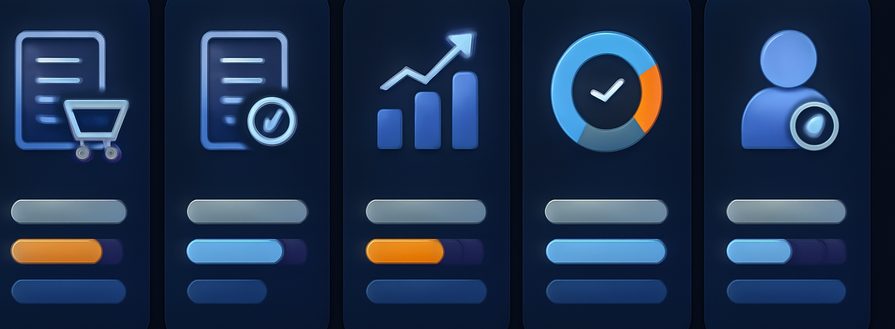
Must-have features in an OCR tool
These are the core features to put at the top of your list:
Why features matter for growing and mid-sized companies
For smaller or expanding businesses, the right features turn straight into time and cost savings. Platforms like klarank are built for growing and mid-sized companies, with ready-made models, flexible rule options, and capacity that expands with your order book, all without a large development team.
When the features match your workflows and goals, your OCR tool delivers efficiency, accuracy, and value shaped to how your business buys.
klarank’s integration-friendly tools make it simple to put OCR to work for results, whatever stage your business is at!
Step 3: Comparing Pricing Models
OCR cost is a major consideration when choosing a tool, particularly for mid-sized firms that need to weigh cost, capacity, and results.
Most options sit in three groups: free services, open-source tools, and paid platforms, each with its own strengths and drawbacks.
klarank’s flexible pricing for growing teams
klarank sets itself apart through its clear, adjustable pricing model, a good fit for firms that need scalable quote and line-item processing.
Early-stage buyers can start on a modest plan and move up as their quote volumes rise, while mid-market firms gain richer ranking features and reliable extraction without the complexity of large enterprise systems.
Mapping today’s purchasing volume against where it is heading lets you pick a plan that balances cost and speed, so your sourcing tool pays for itself as the business expands.
Step 4: Reviewing Top Extraction API Options
Today’s extraction API landscape covers everything from simple text capture to rich document parsing for cloud-hosted workflows. Buyers can use hyperscaler services or dedicated platforms such as klarank to handle large batches of quotes and streamline line-item capture across formats.
Below is a summary of the leading extraction tools, their strengths, and how they charge:
Picking the right extraction API matters for keeping purchasing workflows tidy and error-free. For early-stage and mid-market teams, open-source engines offer a low-cost starting point, while paid services such as klarank bring richer ranking features and room to scale as needs grow.
Weighing the quote formats you receive, how many arrive each month, and how much engineering time you can spare will point you to the right fit.
Whether cost, flexibility, cloud-provider integration or a niche focus matters most to you, the right tool will speed up approvals and support your next stage of growth.
Ready to begin? Look at klarank to bring automated quote ranking into your purchasing process today.

About